CNAME Records
In order to configure ConCat to utilize your organization's domain, you must add something called a CNAME record to your domain. This guide aims to explain how to do this for folks who may not be familiar with the concept.
Overview
DNS Panel
The first step in managing these records is to access your DNS management panel. This usually will be with the registrar you purchased your domain through (ex. GoDaddy, NameCheap, Porkbun). If you do not have access to this, contact someone in your organization who does. Access to this panel is required in order to proceed.
If your nameservers were altered (for example to utilize Cloudflare to handle DNS management) you will need to use that service's DNS panel. If you are unfamiliar with what "nameservers" are, it's unlikely these were changed, so don't worry.
Adding New Records
Now that you have access to the panel, you need to insert new records. These records publish information necessary for ConCat (or an upstream provider) to see and validate ownership of a domain.
Specific Guides
These guides are for specific procedures within ConCat.
Custom Domain for Convention
When creating new conventions, a new domain is utilized in order to maintain access to the old convention. Upon creation however, the new domain will not be immediately accessible.
You must add a CNAME record to the new domain, with the value set to customers.concat.app.
For example, if an old convention was moved to 2025.example.com, a new record would need to be created at 2025.example.com pointing to customers.concat.app, even if there is already a record at example.com.
Custom Email Domains
When adding a custom domain for email sending, multiple records are required to be added.
After creating the request inside of ConCat, the Email Settings tab will display a list of records and their values that need to be added.
Example:
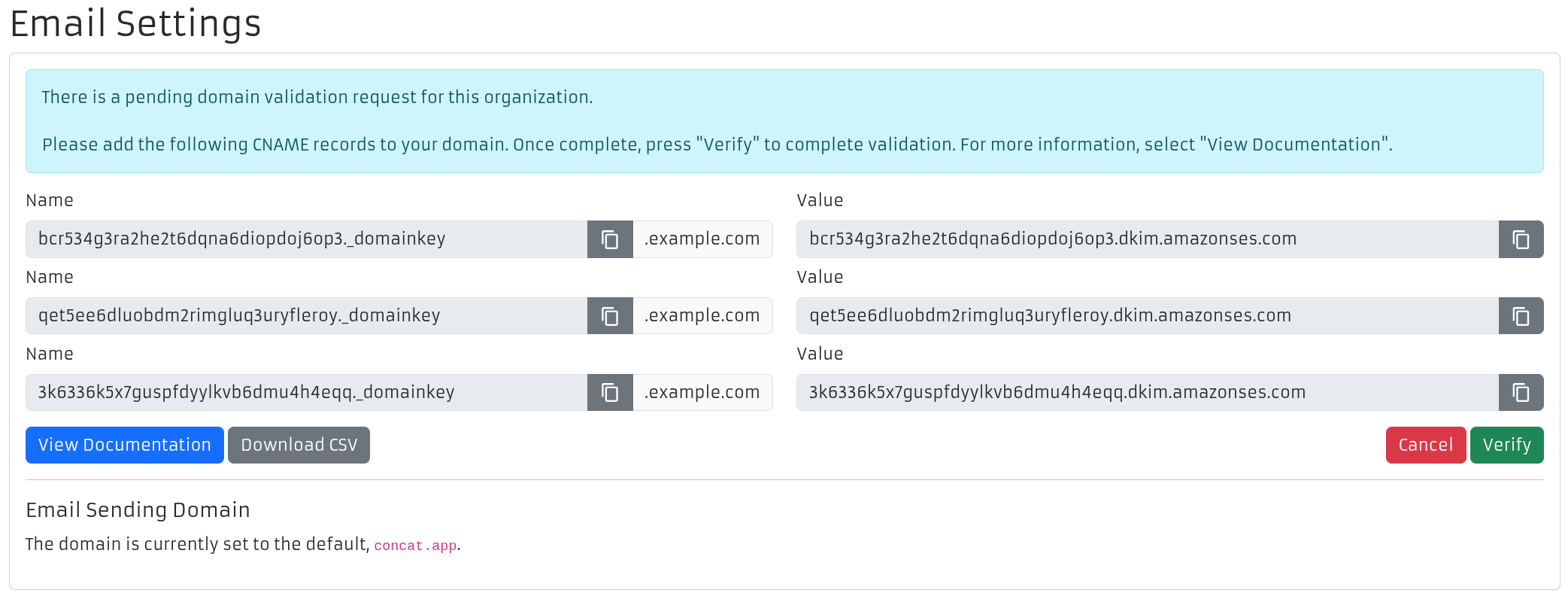
Utilize the copy buttons to get the exact values required, and paste them into the appropriate fields outlined.
Example:
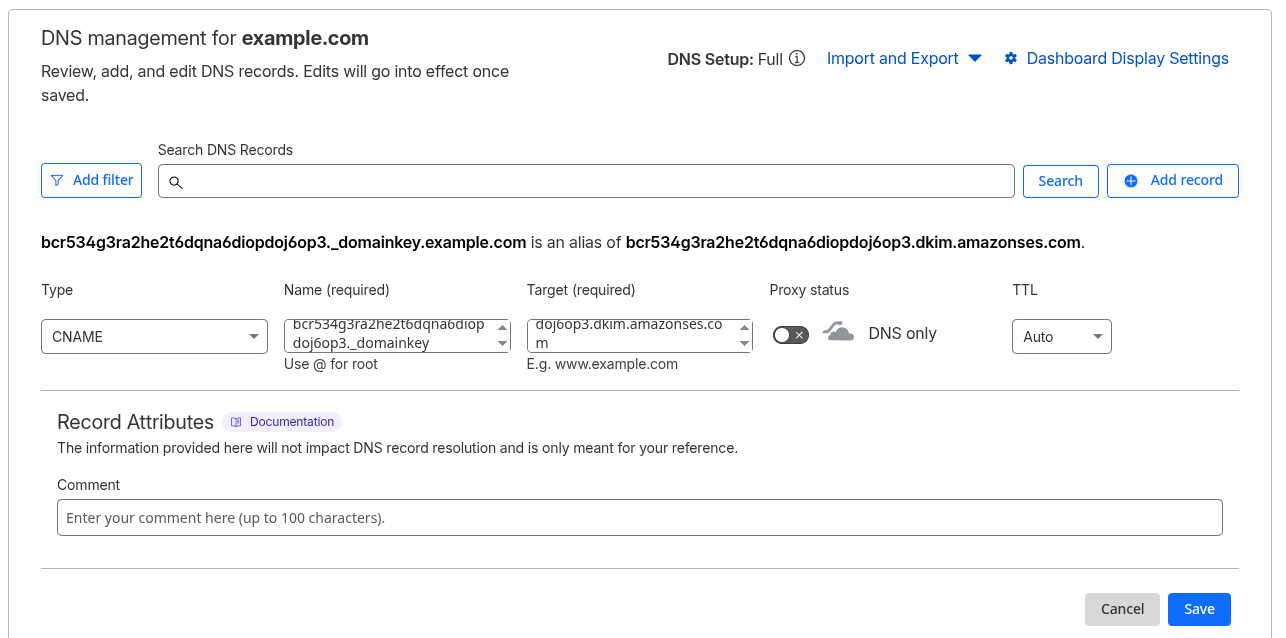
Once you have set the records, wait up to 5 minutes for your DNS provider to update the records. Then, press "Verify" in ConCat.
If you see a warning stating that the verification was not complete, that's perfectly OK. Sometimes DNS providers can be slow, try again in 30-60 minutes.
Also double check that the records you set were on the right domain and are exactly as described by ConCat.
If this process takes more than 24 hours, please contact support.